
Adding Content to Your Circle
Creating content inside a Circle page works exactly the same way as building any other page in Recrevio — such as a regular page, popup, or funnel step. You use the same powerful editor and widget system throughout the platform, which means there is nothing new to learn when it comes to creating content inside your Circles.
This consistency makes it easy to move between website pages, funnels, and Circles while maintaining full creative flexibility.
How to Add Content to a Circle Page
To start creating content inside a Circle page:
- Open the Circle you want to work with.
- Select the Page you want to edit from the navigation.
-
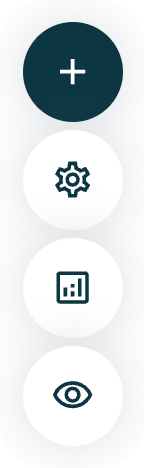
Click the ➕ (plus) button in the left-hand Circle controls.
-
Browse through all available widgets.
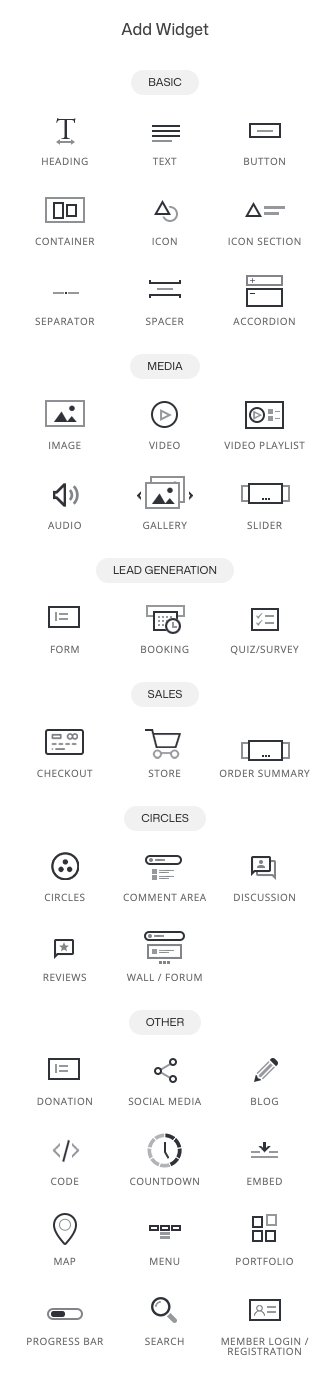
- Drag and drop widgets directly onto the page canvas.
The page updates instantly as you build, allowing you to design and structure content visually.
What You Can Build with Widgets
You can freely combine widgets to create rich, structured experiences such as:
-
Lessons and educational content
Text blocks, videos, step-by-step sections, and structured layouts.
-
Media-rich pages
Images, video players, audio content, and embedded media.
-
Downloads and resources
PDFs, files, links, and supporting materials.
-
Calls to action
Buttons, forms, and prompts to guide members to next steps.
-
Community and interaction
Comment sections, discussion areas, and interactive widgets.
This flexibility allows you to create everything from simple lesson pages to advanced learning environments and community hubs.
👉 For a complete overview of all available widgets and how each one works, see: Widgets
Best Practices for Creating Circle Content
- Build pages top-down with clear structure and progression
- Use Page Groups to organize related content
- Keep pages focused on one main objective
- Use completion tracking for lessons and learning content
- Test pages using a real member account before publishing
Summary
Creating content inside Circle pages is:
- Familiar and consistent with the rest of Recrevio
- Powered by the full widget system
- Flexible enough for courses, memberships, and communities
- Controlled at the page level for access, availability, and analytics
By combining Circle Pages with widgets, access rules, and analytics, you can build engaging, structured, and scalable member experiences — all within a single Circle.