
llms.txt – Make Your Site Easier for AI to Understand
The llms.txt setting creates a structured, AI-friendly summary of your website at:
yourdomain.com/llms.txt
You can think of it as a guide to your website for AI assistants and agents. Instead of having to interpret your entire site from navigation, layouts, and individual pages, compatible AI tools can use the file to quickly understand what your website is about and where important information can be found.
Recrevio can generate the file automatically from your existing website content, and you can then edit it to give AI systems clearer context about your business, products, services, and important pages.
Why use llms.txt?
More people are using AI assistants to research businesses, compare products, find answers, and navigate websites.
An llms.txt file gives compatible AI tools a clean, structured overview of the information you want them to understand.
It can help you:
- Present your business and website structure more clearly to AI tools
- Point AI assistants toward your most important pages
- Provide clearer descriptions and context than navigation alone
- Make your website easier for future AI agents to interpret
- Maintain an AI-friendly summary without creating a file manually
It takes very little setup, so it can be a useful addition to your website alongside your normal SEO settings.
💡 Tip
Think of llms.txt as an additional machine-readable guide to your website – not as a replacement for good content, SEO, structured pages, or your sitemap.
Enable llms.txt
Turn on Enable llms.txt to publish the file.
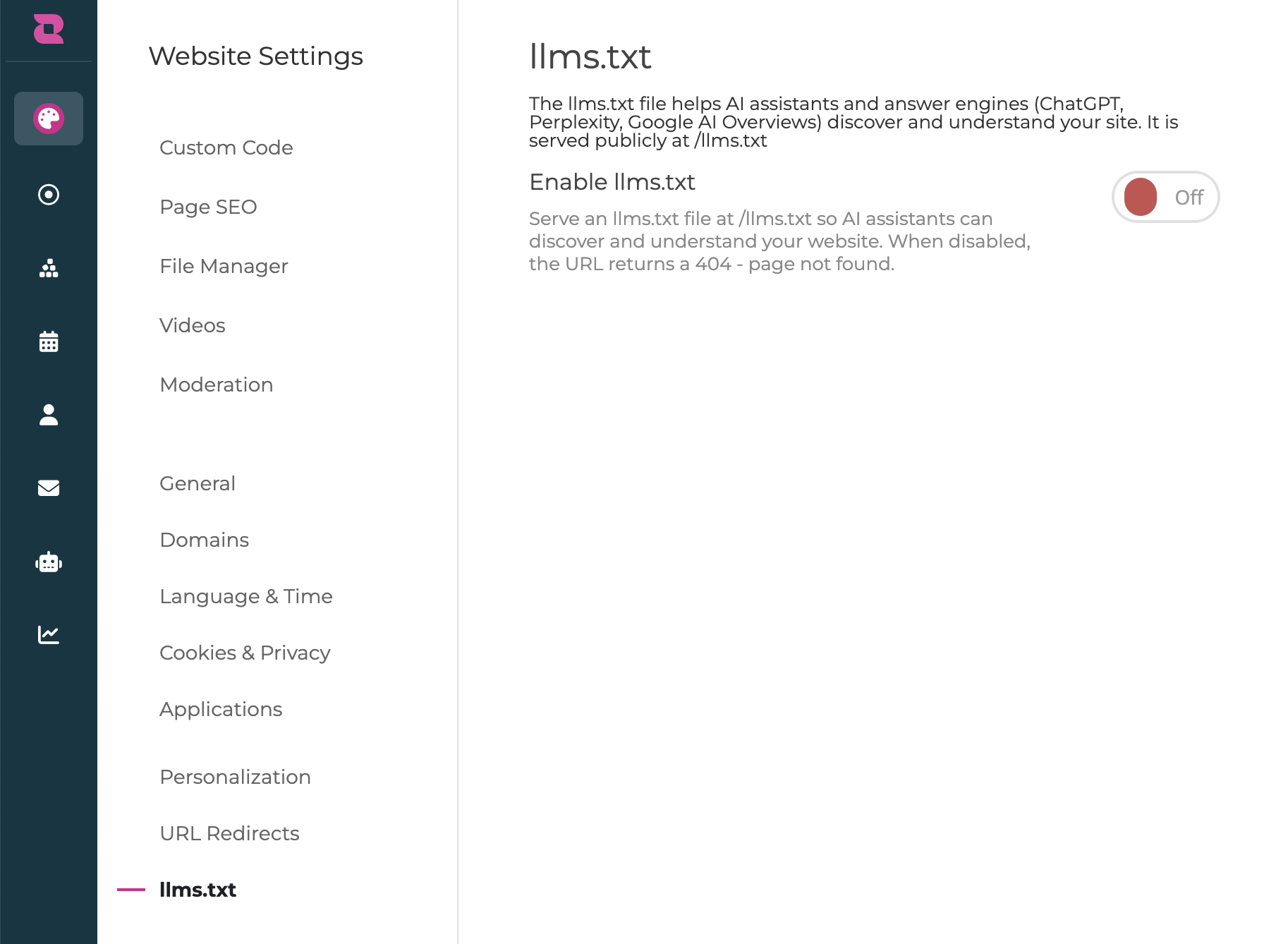
When enabled, Recrevio automatically creates an initial version based on information already available on your website.
Your file is published at:
yourdomain.com/llms.txt
Anyone – including compatible AI tools – can access this URL.
When the setting is turned off, the file is no longer served and the URL returns a 404 Page Not Found response.
What gets added automatically?
When you enable the feature, Recrevio creates a starting version of the file using information already configured throughout your website.
Site information
The file can include your:
- Website name
- Website description or tagline
This information is based on your existing website settings and homepage information.
Key pages
Pages from your website can be included with information such as:
- Page title
- URL
- Description
The descriptions are based on the information you have entered in each page's SEO Info.
Website sections
Certain types of content can be grouped into their own sections to make the structure easier to understand.
For example:
- Blog
- Store
- Portfolio
Contact information
Relevant business information can also be pulled from your website settings, such as your:
- Business name
- Support email
Sitemap
The file can include a reference to your website's sitemap so compatible tools can continue exploring your site's full structure when needed.
💡 Tip
Because the initial file uses information from your existing website and SEO settings, keeping your page titles and descriptions clear and accurate improves more than traditional SEO – it also gives Recrevio better information to work with when generating your llms.txt file.
Edit your llms.txt file
The automatically generated version is only a starting point.
You can edit the content directly before or after publishing it.
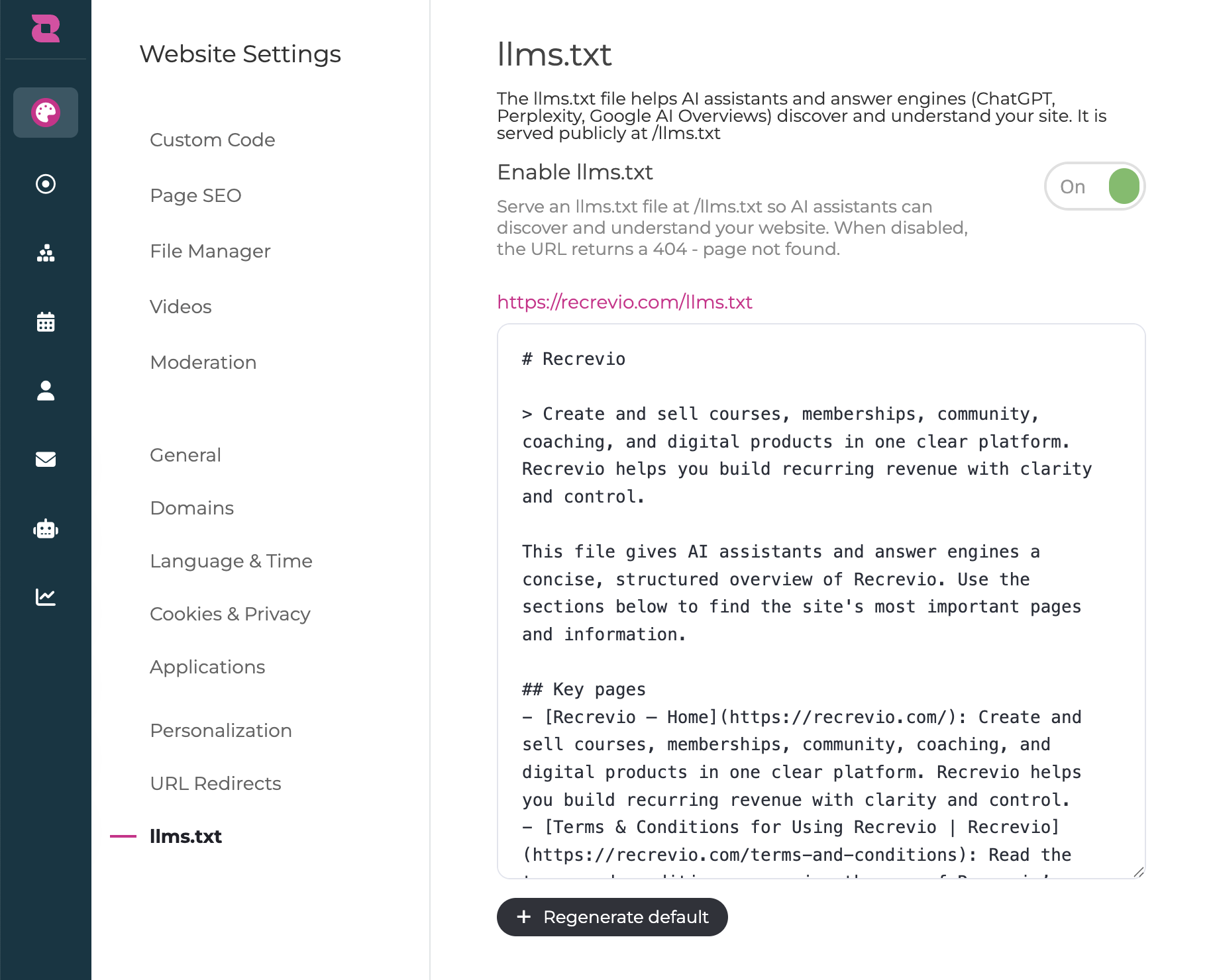
You can:
- Rewrite descriptions
- Add additional context
- Reorder sections
- Highlight particularly important pages
- Remove pages you don't want listed
- Clarify what your products or services do
- Add useful information that may not be obvious from individual page descriptions
When you save your changes, the published version at /llms.txt is updated.
What should you add?
The most useful llms.txt file is usually clear and concise, rather than a copy of your entire website.
Focus on information that helps someone quickly understand:
- What your business does
- Who you help
- Your main products or services
- How your website is organized
- Which pages contain the most important information
- Important terminology or product names that could otherwise be misunderstood
For example, if your website contains several different programs or services with similar names, a short explanation of how they differ can provide useful additional context.
💡 Tip
Write for clarity rather than marketing. A direct explanation such as "Recrevio is an all-in-one platform for selling courses, memberships, coaching and digital products" is generally more useful here than a vague marketing statement such as "Build the business of your dreams."
Keep the file focused
You don't need to add every detail from every page.
Your regular website still contains the full information. The purpose of llms.txt is to provide a useful map and summary that points AI tools in the right direction.
Prioritize:
- Core business information
- Important products and services
- High-value informational pages
- Clear page descriptions
- Useful context that is difficult to infer automatically
Avoid filling the file with repetitive marketing copy or unnecessary details.
Keep it up to date
The initial version of llms.txt is generated from your website content, but once you manually edit the file you should also treat it as content that may need maintaining.
For example, revisit it when you:
- Launch a major new product or service
- Rename an important offer
- Add or remove key pages
- Change what your business focuses on
- Significantly update your website structure
Changes you make elsewhere on the website may not automatically overwrite or merge with your manually edited file.
💡 Tip
You don't need to update llms.txt every time you change a sentence on a page. Focus on changes that materially affect how someone should understand your business or navigate your site.
llms.txt vs sitemap.xml
Although they may look similar in purpose, they solve different problems.
sitemap.xml primarily provides search engines and crawlers with a structured list of URLs available on your website.
llms.txt provides a more human- and AI-readable overview that can include descriptions, context, grouped content, and selected links.
Your llms.txt file can also point to your sitemap for deeper exploration.
You generally want to keep both rather than choosing between them.
llms.txt vs robots.txt
robots.txt and llms.txt also serve very different purposes.
robots.txt controls or communicates which parts of your website automated crawlers are permitted to access.
llms.txt provides context and directions to compatible AI tools about the content you want them to understand.
Enabling llms.txt does not override crawler permissions configured elsewhere.
Does llms.txt improve SEO or AI rankings?
llms.txt should not be treated as a traditional SEO ranking feature.
Publishing the file does not guarantee:
- Better Google rankings
- Inclusion in AI-generated answers
- More citations from AI assistants
- More traffic from AI search
Instead, its purpose is to make useful website information available in a clean format for AI tools and agents that choose to use it.
Because the feature is simple to enable and maintain, it can still be a sensible way to make your website more prepared for AI-driven browsing and discovery.
💡 Tip
The fundamentals still matter most: publish useful content, use descriptive page titles and SEO descriptions, maintain a logical website structure, and make important public pages accessible to crawlers.
Is llms.txt public?
Yes.
Anything you add to the file is publicly available at:
yourdomain.com/llms.txt
Do not include:
- Passwords
- API keys
- Private internal information
- Confidential customer information
- Anything else you would not want publicly accessible
Only use information that is appropriate to publish on your public website.
How to check your file
After enabling and saving llms.txt , open:
yourdomain.com/llms.txt
in your browser.
You should see the published text version of the file.
If the feature is disabled, that address should return a 404 instead.
Review the published file and make sure:
- Your business is described accurately
- Important pages are included
- Page descriptions make sense outside the context of your website
- Old or irrelevant information has been removed
- Links point to the correct locations
Best Practices
- Enable
llms.txtas an additional AI-friendly layer for your website - Make sure your page SEO titles and descriptions are accurate before generating it
- Keep the site description concise and factual
- Highlight your most important pages and offers
- Add context where product names or website structure could be misunderstood
- Avoid vague marketing language
- Don't duplicate your entire website inside the file
- Review it after major website or product changes
- Never include private or sensitive information
- Continue maintaining your normal SEO, sitemap, and crawler settings
Troubleshooting
I enabled llms.txt but /llms.txt returns a 404
Make sure the setting has been enabled and your changes have been saved and published.
A page has the wrong description
Check the page's SEO Info. The initial generated content uses existing website information, including page SEO descriptions. You can also edit the description directly inside the llms.txt editor.
I added a new page but it isn't listed
If you have manually edited your file, revisit the llms.txt settings and add the new page or information where appropriate.
My file contains information I don't want included
Edit the generated content and remove it before saving. Remember that the published file is publicly accessible.
Will disabling llms.txt damage my website?
No. Disabling it simply removes the /llms.txt file. Your regular website, pages, sitemap, and other SEO settings continue to work normally.
Summary
llms.txtcreates an AI-friendly overview of your website- The file is published at yourdomain.com/llms.txt
- Recrevio automatically generates an initial version using information already available on your site
- It can include your site description, pages, SEO descriptions, grouped sections, contact information, and sitemap
- The generated file is fully editable
- Use it to clarify your business, important offers, and site structure
- Keep manually edited information current when your website changes significantly
- The file is public, so never include sensitive information
- It complements your existing SEO, sitemap, and crawler settings rather than replacing them
- Publishing it does not guarantee rankings, AI citations, or traffic
Used well, llms.txt gives AI tools and agents a simple, structured way to understand what your website is about and where its most important information can be found.