
Marketing Overview
The Marketing overview provides a high-level view of your marketing activity in the platform.
This page helps you understand your current setup, access common marketing actions, and monitor basic performance data – all from one place.
It is intended as an overview, with links and shortcuts to more detailed marketing views.
Navigation
To go to the Marketing Overview, please navigate to Marketing > Marketing overview
This view acts as the main entry point for marketing features such as campaigns, subscribers, lists, automations, and usage limits.
Before you send your first campaign
Before any campaigns have been sent, the Marketing overview focuses on initial setup.
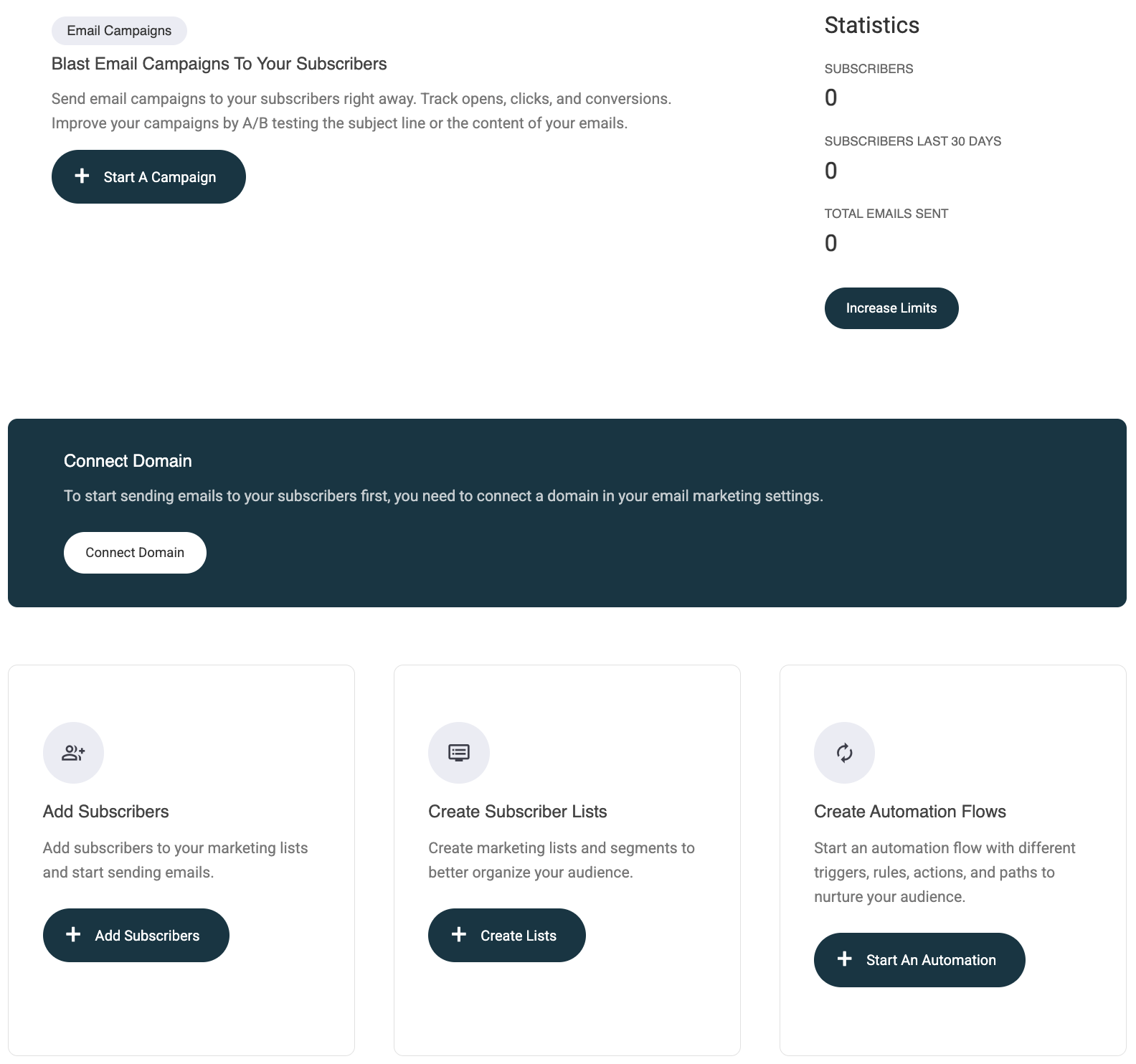
In this state, you can:
- Create your first campaign
- Connect your sending domain (required before sending emails)
- Add subscribers
- Create subscriber lists
- Start an automation flow
No campaign history or statistics are shown until at least one campaign has been sent.
💡 Important
Before you can send email campaigns, you must connect your own domain in the email settings.
Connecting a domain allows Recrevio to send emails using your business domain – for example, @yourcompany.com.
Click Connect Domain, or navigate to Marketing > Email Settings, to complete the setup.
👉 See How to Connect Your Domain for Email Sending for step-by-step instructions.
Free email domains such as Gmail, Hotmail, and Outlook cannot be used, as they do not allow the required authentication for campaign sending.
After your first campaign is sent
Once you have sent your first campaign (and connected your domain), the Marketing overview displays live marketing data.
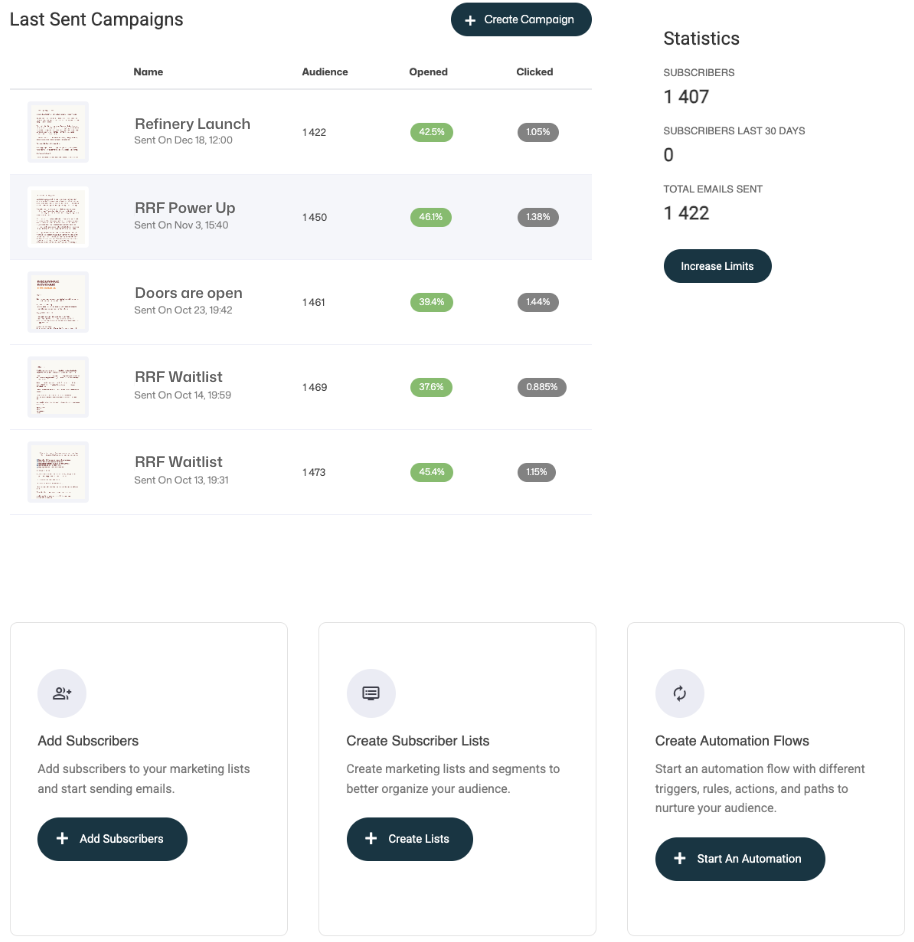
You will see:
- The 5 most recently sent campaigns and basci statistics for each:
- Audience size
- Opened
- Clicked
- High-level email performance statistics, including:
- Subscribers
- New subscribers last 30 days
- Emails sent
- Shortcuts to:
- Increase usage limits
- Create Campaign
- Add subscribers
- Create lists
- Start an automation
You can click on any of the recent campaigns to view more detailed statistics for that specific campaign. To view all campaigns – including drafts – navigate to Marketing > Campaigns.
See the separate article for a full explanation of the Campaigns view.
Available actions from the Marketing overview
The Marketing overview provides quick access to the platform’s core marketing features. From this view, you can start campaigns, manage your audience, automate communication, and adjust usage limits.
Increase usage limits
All plans include a base allowance for subscribers and email volume.
If you reach your current limits, you can:
- Upgrade your plan, or
- Add additional subscribers and email volume as an add-on
Click Increase limits to open the Billing section, where you can review your plan and adjust your limits.
👉 See the separate article on Plans, usage limits, and add-ons for more details.
Create campaigns
From the Marketing overview, you can quickly create new campaigns across multiple channels:
- SMS
- Voice
Each campaign type allows you to reach your audience through the channel that best fits your message and goal.
👉 See Creating campaigns for a step-by-step guide and best practices.
Add subscribers and manage lists
The Marketing overview includes shortcuts to the Lists and Subscribers view.
From this view, you can:
- Add subscribers manually
- Import subscribers from a list
- Create lists to organize your audience
- Create segments to target subscribers based on rules and conditions
👉 See Managing subscribers, Creating lists, and Using segments for detailed instructions.
Start automation flows
Use the shortcut to the Automation view to build automated communication flows.
Automation flows allow you to:
- Trigger actions based on events or conditions
- Apply rules and branching paths
- Send automated messages across channels
Automations help you nurture leads, onboard customers, and follow up automatically.
👉 See Automation overview for a complete guide to building automation flows.
Summary
The Marketing overview is designed to give you a clear snapshot of your marketing setup and activity.
It allows you to:
- Get started with campaigns
- Access subscriber and automation tools
- Monitor basic performance
- Manage usage limits as your marketing grows
For full campaign management and history, continue to Marketing > Campaigns.