
How to Enable Sales Tracking in Campaigns & Automations
Sales tracking helps you see which messages actually generate revenue – so you can measure conversions, not just opens and clicks.
In Recrevio, sales tracking is available in:
- Campaigns: Email, SMS, WhatsApp
- Automations: “Send Email”, “Send SMS”, “Send WhatsApp” steps
💡 Note
Voice campaigns does not support sales tracking because voice messages don’t contain clickable links.
For performance insights after sending, see:
👉 How to Analyze Campaign Performance
👉 How to Analyze Automation Performance
💡 Note
This article focuses on built-in sales tracking inside campaigns and automations (Email, SMS, WhatsApp), where tracking is enabled directly in the campaign or automation flow.
If you want to create and analyze standalone sales tracking links that you can share anywhere – for example in social media, ads, partner links, or external tools – see:
Enable Sales Tracking in a Campaign (Email, SMS, WhatsApp)
Sales tracking can be enabled in all campaign types that include clickable links:
- Email campaigns
- SMS campaigns
- WhatsApp campaigns
💡 Note
Voice campaigns do not support sales tracking, since voice messages do not contain clickable links.
The setup process is the same regardless of channel. Sales tracking is always enabled in the Summary step of the campaign creation flow.
Step 1 – Create your campaign as usual (Email, SMS, or WhatsApp)
For step-by-step guides on how to create different types of campaigns that support sales tracking:
- Creating and Sending an Email Campaign
- Creating and Sending a SMS Campaign
- Creating and Sending a WhatsApp Campaign
Step 2- Add links to checkout
Add at least one link that leads toward checkout or a tracked sales flow in the Email, Sms or WhatsApp message content.
Step 3 – Enable Sales Tracking
In the Summary step of the create campaign flow, click enable Track sales from this campaign

Enter your UTM values:
- Source
- Campaign
- Medium
Step 4 – Send or schedule the campaign
You can choose one of the following options.
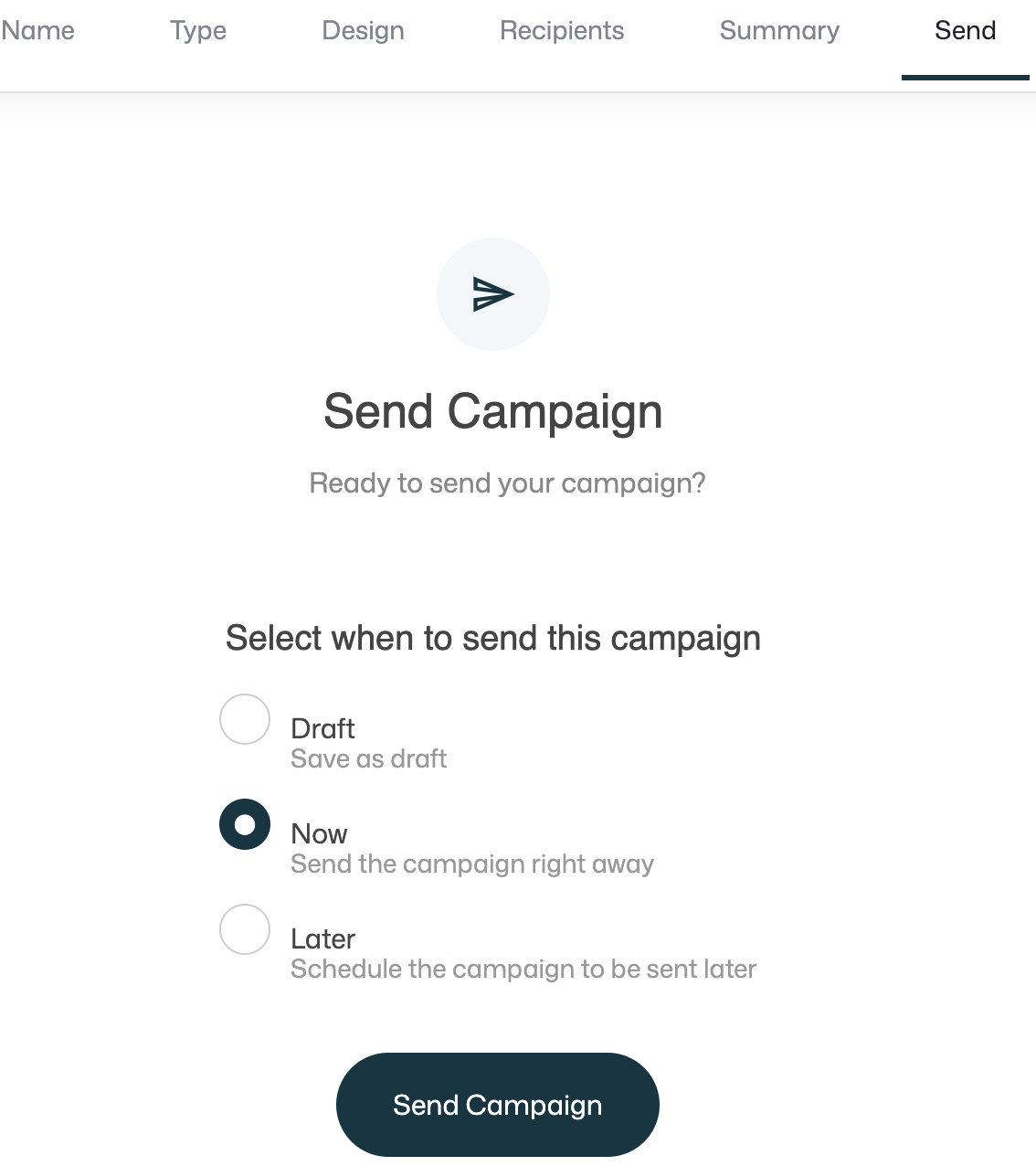
- Draft – Save the campaign without sending it
- Now – Send the campaign immediately
- Later – Schedule the campaign to be sent at a specific date and time
Enable Sales Tracking in Automations (Email, SMS, WhatsApp)
Sales tracking in automations is enabled per message step, so you can track exactly which automation message drives purchases.
Step 1 – Create or open your automation
Go to Automations and create a new automation or open the automation you want to track.
Step 2 – Add or edit the message step
Add an action step and choose to send a message or click an existing message step:
- Send Email, or
- Send SMS, or
- Send WhatsApp
Step 3- Add links to checkout
Add at least one link that leads toward checkout or a tracked sales flow in the Email, Sms or WhatsApp message content.
Step 4 – Enable sales tracking for that step
Toggle Track sales from this Email/Message.
Enter your UTM values:
- Source
- Campaign
- Medium
Step 5: Save and publish
Save changes and make sure the automation is published/active.
How sales tracking works (UTM explained)
Sales tracking in Recrevio uses UTM parameters to connect your campaigns and automation messages to actual purchases.
UTMs are small tags added to links inside your Email, SMS, and WhatsApp messages when sales tracking is enabled.
These tags make it possible to attribute revenue back to:
- a specific campaign, or
- a specific automation message step
All tracking happens automatically once UTMs are defined.
What happens when someone clicks a tracked message
When you enable sales tracking in a campaign or automation:
-
Recrevio adds UTM parameters to every clickable link in the message
A recipient clicks the link from an Email, SMS, or WhatsApp message
The visitor continues to checkout
When a purchase is completed, the sale is attributed back to:
- the campaign or automation
- the specific message
- the defined UTM values
Message → Click → Checkout → Order
This allows you to see real revenue tied directly to your messaging.
The UTM parameters you’ll configure in Recrevio
When you enable sales tracking in a campaign Summary step or in an automation message step, you’ll add the following UTM values:
-
Source — where the audience comes from
Use Source to describe the origin of the audience receiving the message. Think of Source as who or where the message is coming from.
Typical campaign & automation examples:
newsletterlaunch_listwaitlistcustomerscommunitypartners
-
Medium — the message channel
Use Medium to describe how the message is delivered. This makes it easy to compare performance across channels.
Typical values:
emailsmswhatsapp
-
Campaign — the promotion or initiative
Use Campaign to define what the message is promoting. This field is key for understanding which initiatives generate revenue.
Typical campaign & automation examples:
black_fridaysoft_launchwebinar_followupcart_recoveryproduct_launch_march
Example UTM setups for campaigns & automations
Email campaign
- Source:
newsletter - Medium:
email - Campaign:
black_friday
SMS campaign
- Source:
launch_list - Medium:
sms - Campaign:
last_call_offer
WhatsApp automation message
- Source:
customers - Medium:
whatsapp - Campaign:
upsell_followup
Each message can be tracked individually, even inside the same automation.
Best practices for clean and useful reporting
Keep your UTMs consistent
- Use lowercase letters
- Avoid spaces (use underscores)
- Use clear, descriptive names
Avoid reuse across different initiatives
- Don’t use the same campaign name for multiple unrelated promotions
- Create new campaign names for each launch, offer, or sequence
Think long-term
- Consistent UTMs make it easier to analyze performance over time
- Clean naming = better insights and faster optimization
Why UTM-based sales tracking matters
With proper UTM setup in your campaigns and automations, you can:
- See exactly which messages generate revenue
- Compare Email vs SMS vs WhatsApp performance
- Identify top-performing campaigns and automation steps
- Optimize copy, timing, and offers based on real sales data
Sales tracking turns your campaigns and automations into measurable revenue drivers, not just message sends.
Important notes & troubleshooting
- Sales tracking only works if your message contains at least one clickable link that leads toward checkout or a tracked purchase journey.
- Voice campaigns don’t support sales tracking (contains no clickable links).
- Be consistent with UTM naming so your reporting stays clean across campaigns and channels.
- If you reuse the same UTM campaign name everywhere, reporting can become hard to interpret—use distinct campaign names per initiative.
What’s next?
Once your campaign/automation has been sent and tracking is enabled, you can review:
- Opens / clicks (where applicable)
- Revenue and orders
- Subscriptions and recurring revenue (if applicable)
- Top performing messages and sources
Continue with: